How to preserve UTM parameters across pages and return visits
Preserve UTMs beyond the landing URL with a first-party storage policy, consent-aware capture, form handoff, expiration, and end-to-end tests.

The problem in plain English
UTM parameters are the tags at the end of a campaign link, such as utm_source=linkedin. They tell you where a visitor came from. But the tags usually disappear when the visitor opens another page.
If the person lands on /pricing?utm_source=linkedin and later submits a form on /book-demo, the second page no longer contains utm_source=linkedin. The form cannot send a value that the website did not remember.
The solution in plain English
When the visitor first arrives, save only the UTM parameters you need in storage controlled by your website. Keep them while the visitor browses. When the form is submitted, copy the saved values into the form fields.
This article explains how to keep the values. For the form and CRM setup, read how to track form submission source.
Why UTMs disappear
UTMs are query parameters on a URL. They do not automatically follow a visitor to the next page or a later session. A visitor can land on:
/pricing?utm_source=linkedin&utm_medium=paid_social&utm_campaign=q3_demoand then submit on:
/book-demoCode that reads only the second URL finds no campaign parameters. The loss happened before the form or CRM became involved.
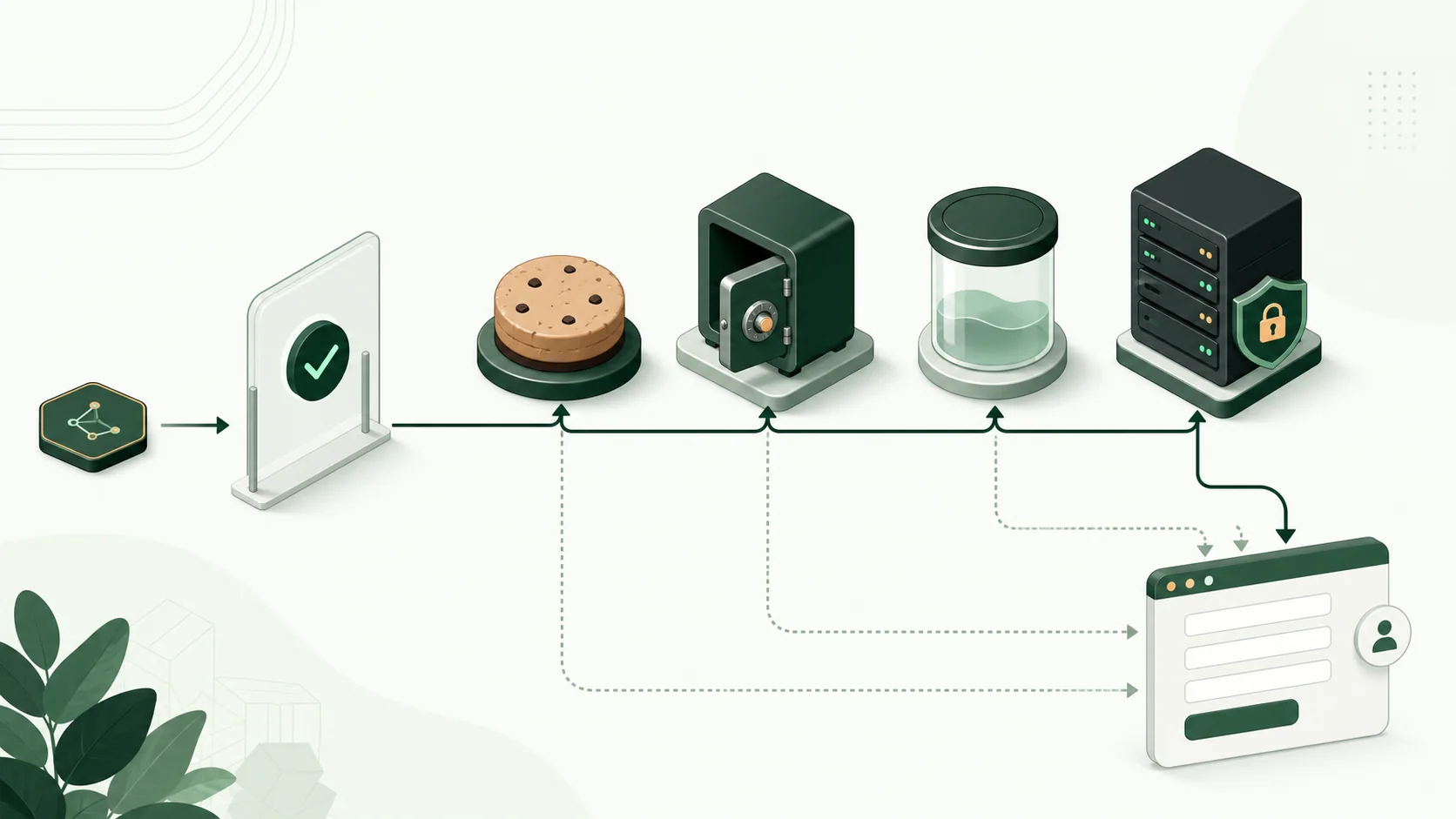
Choose what to retain
Choose the exact fields you want to save instead of saving the whole URL. A common set is:
utm_sourceutm_mediumutm_campaignutm_idutm_contentutm_term- supported advertising click IDs
- original landing path and referrer
- capture timestamp
Google’s traffic-source documentation explains that UTM parameters provide the source, medium, campaign, and related details. The copy saved in your CRM is separate from Google Analytics data, so name the CRM fields clearly.
Avoid storing email addresses or other personal information found in arbitrary URL parameters. Agree on retention and consent behavior with the people responsible for privacy and security.
Pick a storage pattern
First-party cookie
Useful when the value must remain available across pages and later visits on the same website. Your developer must set the cookie’s security, domain, and expiry options correctly. Browser settings and consent choices can still block it.
Local storage
Easy for website code to read and kept after the visitor closes the page. It works only on the same website address and is not sent to your server automatically. It still needs privacy and security review.
Session storage
Good for a journey limited to one browser tab. It normally does not survive closing the tab, so it is a poor match for long B2B consideration cycles.
Server-side session or first-party identifier
Useful when your server controls the journey and can connect a visitor ID to the saved source. This takes more development work. You still need rules for consent, expiry, and what happens when someone changes devices.
None of these choices automatically connects the same person across a laptop and phone.
Define first-touch and update rules
Write the policy before writing code. A first-touch record often follows these rules:
- If no first-source record exists and the URL contains approved source details, save them.
- Do not replace it on an untagged visit.
- Store a separate latest-source or form-submission source when a later tagged campaign brings the person back.
- Expire records according to an explicit retention period.
- Version the capture logic.
Without that distinction, a branded search or email click can silently replace the campaign that introduced the lead.
Capture safely
The implementation should parse the current URL, copy only approved keys, validate lengths, and encode values when they are reused. Do not inject raw query-string values into HTML.
Pseudocode:
const allowed = ['utm_source', 'utm_medium', 'utm_campaign', 'utm_content', 'utm_term'];
const params = new URLSearchParams(window.location.search);
const captured = Object.fromEntries(
  allowed.filter((key) => params.has(key)).map((key) => [key, params.get(key)])
);

if (Object.keys(captured).length && consentAllowsMeasurement()) {
  saveFirstTouchIfEmpty({ ...captured, landing_page: location.pathname, captured_at: new Date().toISOString() });
}
Production code needs error handling, validation, consent integration, and a storage implementation appropriate to your site.
Carry values to the form
Before submission, retrieve the preserved record and populate supported hidden fields or the provider’s submission API. Keep form field names stable and map them explicitly in the destination CRM.
If the form is on another subdomain or domain, browser storage may not be available there. Do not make a cookie available to more domains without a security review. Use a cross-domain method supported by your tools or pass the data through your server.
Google’s cross-domain measurement documentation shows how Google adds a short identifier to links between websites. That method is for Google measurement. It does not automatically send your custom source fields to the CRM.
Do not append UTMs to every internal link
That approach creates noisy URLs, can split analytics dimensions, can be copied into shared links, and is easy to break in dynamic interfaces. It may also cause a campaign to appear as a new interaction where none occurred.
Add tracking values to internal links only when a specific cross-domain setup requires it. For pages on the same site, storing the values is usually cleaner.
Test the complete visitor journey
Create unique values for each test and verify:
- first landing with UTMs;
- navigation to an untagged page;
- page reload;
- new tab;
- browser close and return, if your retention promises it;
- consent granted and denied states;
- a later tagged campaign under your update policy;
- form payload and CRM result;
- expiration and deletion behavior.
A successful browser test is not complete until the destination record contains the correct values.
Common mistakes
Overwriting first touch on every page
An untagged page should not erase source details you already saved. Update the record only when a new tagged campaign link brings the visitor back.
Treating storage as permanent
Every record needs an expiration or deletion rule. “Keep it forever” is not a technical default.
Ignoring consent transitions
Decide what your website does when consent is denied, later granted, or withdrawn. Be clear that source tracking will be incomplete when measurement is not allowed.
Assuming subdomains are the same origin
Cookie domain configuration and browser storage origin rules differ. Test the real hostnames used by landing pages and forms.
Preserving values but not submitting them
Saving the values is only one step. Check that the form sends them and that the CRM saves them in the right fields.
Where TraceSig fits
TraceSig remembers source details for supported website forms and sends those details to your existing tools. It does not replace analytics, cookie consent, campaign naming rules, or your CRM. Review supported integrations and confirm your website and form setup.
Frequently asked questions
How long should UTM parameters be stored?
There is no universal duration. Choose a period that matches your sales cycle, reporting definition, privacy policy, and consent basis, then document it.
Should a new UTM overwrite the original UTM?
Not if the field is defined as first touch. Store the new value in a latest- or converting-touch field instead.
Can UTMs persist across domains?
Not through normal browser storage alone. You need a secure way to pass the values between the two domains or through your server. That method must follow your consent rules.
Do UTMs persist in Google Analytics automatically?
Google Analytics keeps campaign information for its own reports. It does not automatically put the original UTM values into your website form or CRM.
Is a first-party cookie always reliable?
No. Consent choices, browser settings, cookie expiry, device changes, and setup mistakes can all limit it. Treat the saved source as the information your website observed, not a perfect record of every interaction.